Browser Extension
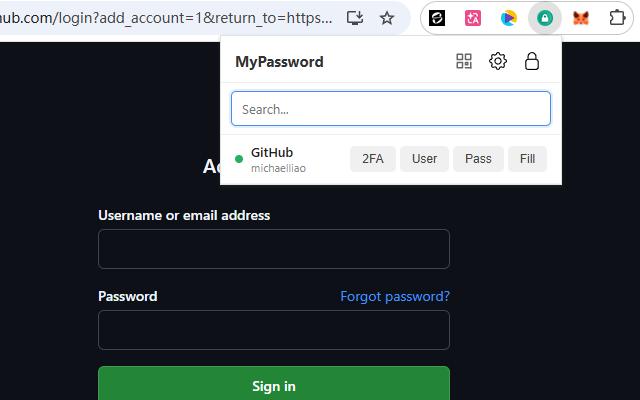
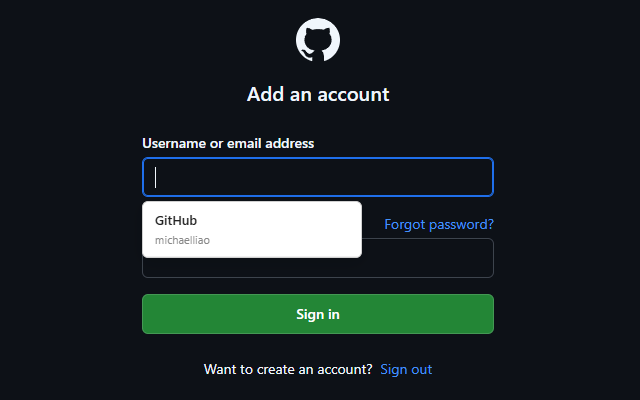
The MyPassword browser extension integrates with the desktop app to autofill credentials, copy passwords, and manage vault items directly from the browser.
The official chrome extension can be installed from Chrome Web Store.
Architecture
The extension communicates with the desktop app over HTTP at http://127.0.0.1:27432. The desktop app must be running for the extension to work.
Browser Extension                  Desktop App
  popup.js  ──message──>  background.js  ──HTTP──>  HttpDaemon (127.0.0.1:27432)
  content.js                                              │
                                                    RequestController
                                                          │
                                                    VaultManager / DbManager
- popup.js — UI for unlock, search, autofill actions. Sends messages to the background service worker.
- background.js — Service worker that forwards requests to the desktop HTTP server via
fetch. Handles request signing. - content.js — Injected into web pages to perform credential autofill.
Pairing
Before the extension can access vault data, it must be paired with the desktop app. Unauthenticated requests (except POST /pair and POST /info) are rejected with UNKNOWN_EXTENSION.
Pairing flow
- The extension sends
POST /pairwith{ name: "MyPassword Chrome Extension", device: "<os> <arch>" }. The device string is auto-detected viachrome.runtime.getPlatformInfo()(e.g.win x86-64,mac arm). - The desktop app saves a pending
ExtensionConfigrecord withapprove = falseand a randomly generated shared secret (seed). - The app returns
{ id, seed }to the extension, which stores them inchrome.storage.local. - The app pops up a confirmation dialog asking the user to approve or reject the pairing request.
- The extension polls
POST /infoand checks whetherdata.calleris non-null, indicating the pairing has been approved.
If the user rejects, the ExtensionConfig record is deleted. The extension can retry by sending a new POST /pair, which overwrites any previously stored id and seed.
Managing extensions
Users can manage paired extensions in Settings > Extension:
- Pending extensions show Approve and Reject buttons.
- Approved extensions show an Unpair button (with confirmation).
Rejecting or unpairing deletes the extension's ExtensionConfig from the database, immediately revoking access.
Request Authentication
Every request from a paired extension (except /pair) includes three HTTP headers:
| Header | Value |
|---|---|
X-Extension-Id |
The extension's numeric id from pairing |
X-Extension-Timestamp |
Current time in milliseconds (Date.now()) |
X-Extension-Signature |
HMAC-SHA256(timestamp, seed) as lowercase hex |
Server-side validation (Extension.trySetExtension)
- Parse
id,timestamp, andsignaturefrom the request headers. - Look up the
ExtensionConfigbyid. Reject if not found orapprove = false. - Check that the timestamp is within 30 seconds of server time (clock skew tolerance).
- Compute
HMAC-SHA256(timestamp_string, seed_bytes)and compare against the provided signature. - If valid, bind the extension identity to the current thread (
ThreadLocal) for the duration of the request.
Unpaired recovery
If the server responds with error UNKNOWN_EXTENSION, the extension clears its stored id and seed from chrome.storage.local and returns to the initial pairing screen.
Security Model
- Localhost only — The HTTP server binds to
127.0.0.1, not0.0.0.0. It is not reachable from the network. - User-approved pairing — Every extension must be explicitly approved by the user via a desktop dialog before it can access any vault data.
- Shared secret — The
seedis a random 16-character alphanumeric string generated at pairing time. It never leaves the local machine (stored in the SQLite database on the app side,chrome.storage.localon the extension side). - HMAC signatures — Each request is signed with
HMAC-SHA256(timestamp, seed). This prevents unauthorized callers on localhost from impersonating a paired extension without knowing the seed. - Timestamp validation — Signatures include a timestamp checked against a 30-second window, preventing replay of captured requests.
- Vault lock — Pairing requires the vault to be unlocked. Even after pairing, the extension cannot read vault items while the vault is locked.
- Revocation — Unpairing or rejecting an extension deletes its record from the database, immediately invalidating all future requests from that extension.